Never miss a meeting. Seriously.
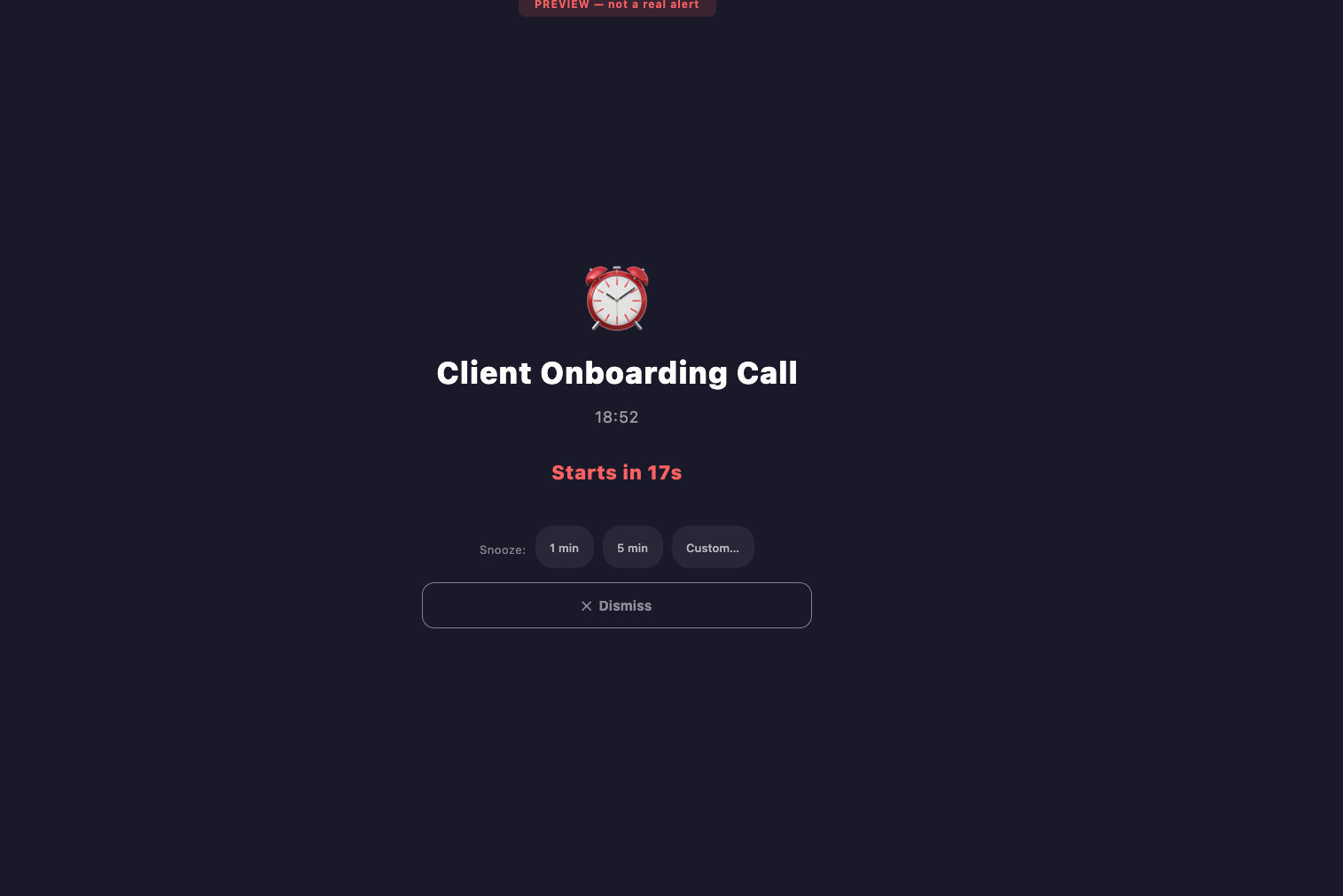
A full-screen alert before every meeting — impossible to ignore, even when you're deep in flow.
macOS · Apple Silicon · macOS 13+
How it works
Set it once. Forget it. We'll wake you up.
Google, Outlook, iCloud, or local. Read-only — your events stay yours.
Lead time, sound, snooze rules, study/class hours. Make it yours.
A full-screen takeover before each meeting. No notification dust to miss.
Jump straight to Meet, Zoom, Teams or any link from the alert.
Built for the way you actually work
A meeting alert that meets you where you are — whether you're switching contexts all day or in deep flow.
Remote workers & freelancers
Context-switching is half your job. WakeyWakey makes sure the meeting is the only thing on your screen when it's about to start — no chasing notifications across tabs, dock and tray.
Independent consultants
Discovery calls, client check-ins, follow-ups. Your calendar is your business. Never let a missed reminder cost you a client moment again.
Hyperfocus & time blindness
When you're in flow, a chime in the corner doesn't register. WakeyWakey takes over the screen — the only signal loud enough to break through hyperfocus, designed by someone who needs it too.
Distributed teams
Across timezones and tools, keep everyone showing up on time without yet another Slack reminder. One full-screen nudge, every meeting, every device.
See it in action
Designed to stay out of the way until the moment you need it.
What makes it different
A focused alert app that respects your devices, your privacy, and your time.
- Full-screen takeover A focus-stealing full-screen window on macOS. The alert is the only thing on your screen.
- Custom alert timing 30 seconds, 1, 2, 5 minutes — whatever lead time matches your context-switching speed.
- Calendar filtering Choose exactly which calendars trigger alerts. Personal, work, that one stand-up you don't want a wake-up for — you decide.
- Work hours schedule WakeyWakey only watches your calendar when you're working. Auto off after hours and weekends.
- Custom snooze Configure your own snooze durations. One-tap from the alert when you really need 60 more seconds.
- Widget & Quick Settings tile See your next meeting from the home screen. Pause WakeyWakey from the Quick Settings panel.
- One-tap join Jump straight to Meet, Zoom, Teams or any link from the alert. No fishing through the calendar.
- Privacy-first Calendar reads happen locally. No data sold. No tracking we wouldn't accept ourselves.
Pricing
Try every Pro feature free for 7 days. No credit card to start. Cancel anytime.
Monthly
- Custom alert timing
- Calendar filtering
- Work hours schedule
- Home screen widget
- Quick Settings tile
- Custom snooze options
Annual
- Everything in Monthly
- Save ~37% vs monthly
- 7-day free trial included
- Cancel anytime
Lifetime
- Everything in Pro, forever
- All future Pro features included
- No subscription
- Pay once, use on all your devices
Prices in EUR · secure checkout by Lemon Squeezy · 7-day refund policy.
Download WakeyWakey
Get the app on whichever device you live on. Free to install — upgrade only if you need Pro features.
macOS 13 Ventura or newer
Apple Silicon (arm64)
Questions? Write to info@sierraespada.com.
What's new in v1.0.0
First public release for macOS — everything you need to never miss a meeting again.
- Full-screen meeting alerts Fires N minutes before each event — configurable per your flow.
- Calendar integrations macOS Calendar (EventKit), Google Calendar and Microsoft 365 via OAuth.
- Multi-account support Connect several calendars at once. Smart deduplication of overlapping events.
- 30+ video services One-tap join for Zoom, Meet, Teams, Webex and more.
- 15 alert sounds Pick the one that breaks your focus without breaking your nerves.
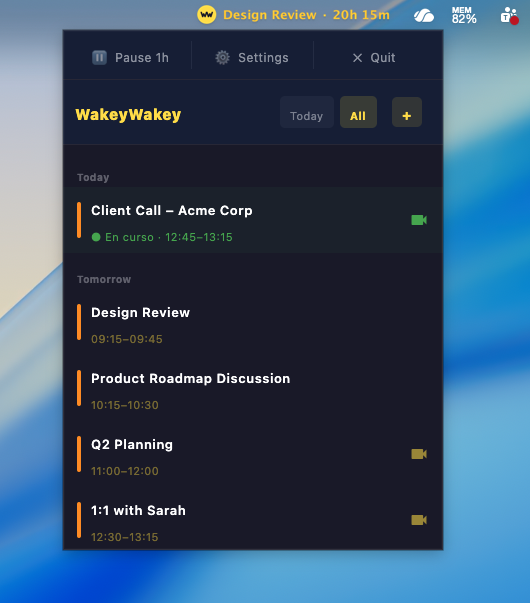
- Menu bar countdown Always-visible countdown to your next event from the menu bar.
- Smart snooze & filters 5-minute snooze, work-hours filter, video-only filter.
- Auto-start at login Set up once, runs quietly forever.
Questions
If yours isn't here, write to info@sierraespada.com.
Does it really take over the whole screen?
Yes. WakeyWakey uses macOS's native focus-stealing window API so the meeting reminder is the only thing on your screen until you act on it.
Will it work if I'm offline?
Yes. Core alerting runs locally from your synced calendar cache. Cloud sync is optional and only used to keep settings consistent across devices.
Which calendars are supported?
Google Calendar, Microsoft Outlook (personal and Microsoft 365), Apple iCloud, and any local calendar your OS exposes. ICS feeds also work.
Is my calendar data sold or shared?
No. Calendar data is read locally where possible and never sold to third parties. See the Privacy Policy for the full breakdown.
What's in the free trial?
Every Pro feature is unlocked for 7 days. No credit card required to start. After the trial you can pick Monthly, Annual, or Lifetime — or keep using the free tier with the basic alert.
Can I cancel and get a refund?
Yes. Cancel any subscription from your account at any time. We honour a 7-day refund policy on all plans — including Lifetime — if you change your mind.
Who builds this?
SierraEspada — an independent software studio focused on shipping a small set of well-crafted apps. More about us.